

-
 Item#: 70002
- Direct to card printing
- Dual-sided printing
- Magnetic stripe encoding
- FREE 1 Year TrueSupport with purchase of 3 or 4 year True Support Plan
$4,073.99 $3,370.99You Save: $703.00Free 3 Year Warranty Included -
 Item#: 70011
- Limited Edition retransfer HDP printing
- Dual-sided printing
- 600dpi Print Resolution
- Warranty: 3 years
- FREE 1 Year TrueSupport with purchase of 3 or 4 year True Support Plan
$8,731.79 $7,937.99You Save: $793.80Free 3 Year Warranty Included -
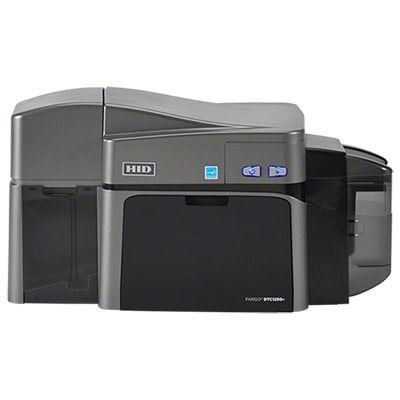 Item#: 50100
- Direct to card printing
- Dual-sided printing
- No Encoding
- Warranty: 3 years
- FREE 1 Year TrueSupport with purchase of 3 or 4 year True Support Plan
$3,801.99 $1,940.99You Save: $1,861.00Free 3 Year Warranty Included -
 Item#: 653726
- Rapid retransfer HDP printing
- Single or Dual-sided printing
- 300dpi Print Resolution
- 3 year warranty
- FREE 1 Year TrueSupport with purchase of 3 or 4 year True Support Plan
$5,305.99 $4,502.99You Save: $803.00Free 3 Year Warranty Included -
 Item#: 653024
- Direct-to-card printing
- Single-sided or dual-sided printing
- Built-in USB with additional Ethernet Option
- Encoding options
$2,705.99 $2,207.99You Save: $498.00Free 3 Year Warranty Included -
 Item#: 3300-0021/2
- Direct-to-card printing
- Dual-sided printing
- HoloKote security options
- FREE 1 Year TrueSupport with purchase of 3 or 4 year True Support Plan
$3,260.99 $2,078.99You Save: $1,182.00Free 3 Year Warranty Included -
Best Seller
 Item#: ZC32-000C000US00
- Direct-to-card printing
- Dual-sided printing, No encoding
- Replacement for the Zebra ZXP Series 3 printer
- FREE 1 Year TrueSupport with purchase of 3 or 4 year True Support Plan
$3,320.32 $2,490.24You Save: $830.08Free 2 Year Warranty Included -
Best Seller
 Item#: ZC36-000C000USLT
- Direct-to-card printing
- Single or Dual-sided printing, No encoding
- Replacement for the Zebra ZXP Series 3 printer
- FREE 1 Year TrueSupport with purchase of 3 or 4 year True Support Plan
$3,320.49 $1,974.99You Save: $1,345.50Free 2 Year Warranty Included -
 Item#: PM2-0025-A
- Direct to card printing
- Dual-Sided - USB & Ethernet
- Prints 280 full color, single-sided cards/hour
- TrueSupport Coverage Eligible
- FREE 1 Year TrueSupport with purchase of 3 or 4 year True Support Plan
$2,505.00 $2,076.00You Save: $429.00Free 3 Year Warranty Included -
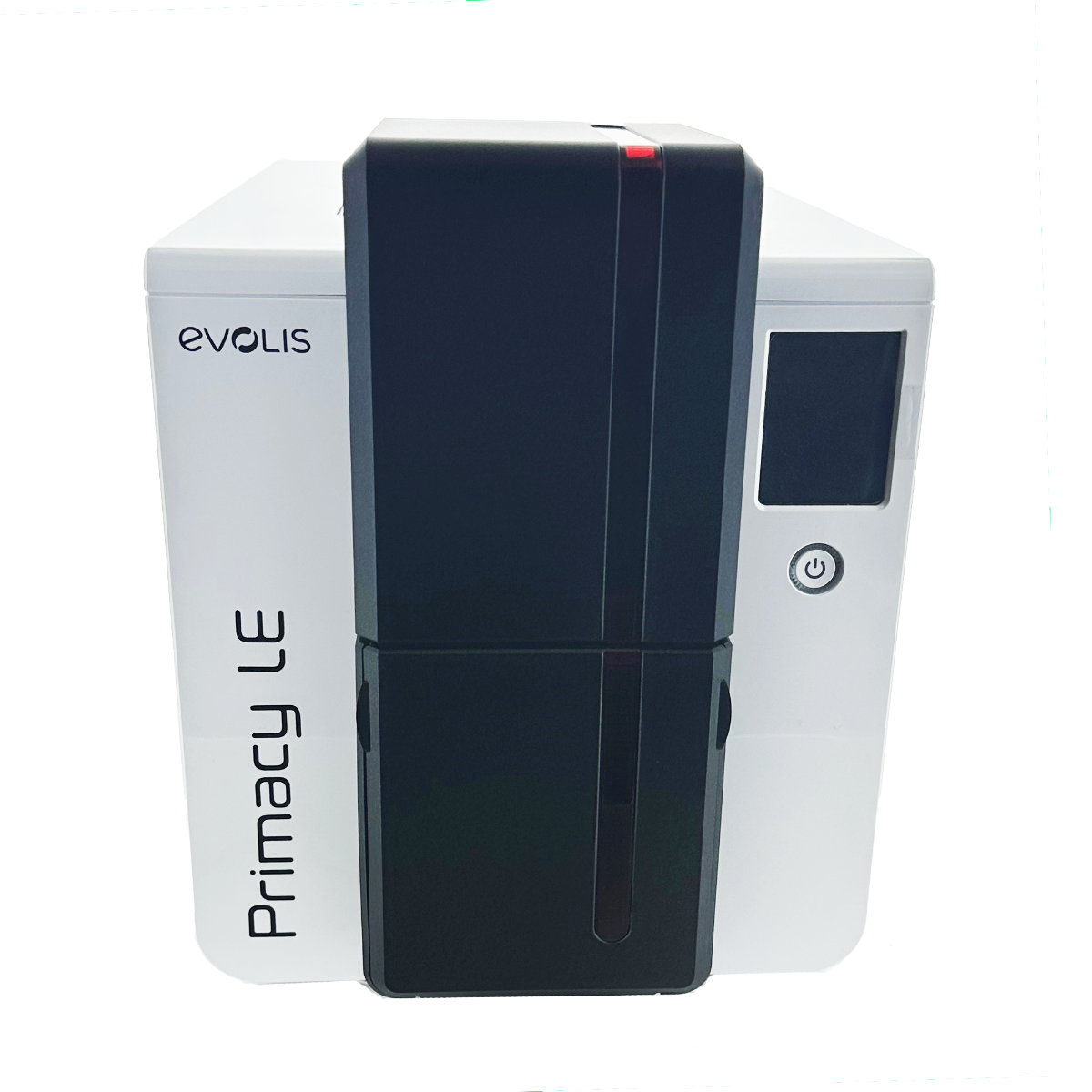 Item#: PM2LEDS
- Direct to Card Printing
- Choose from Several Encoding Options
- Prints 280 Full Color, Single-Sided Card per Hour
- TrueSupport Coverage Eligible
- FREE 1 Year TrueSupport with purchase of 3 or 4 year True Support Plan
$2,505.00 $2,003.99You Save: $501.01Free 3 Year Warranty Included -
 Item#: ZC36-000C000US00
- Direct-to-card printing
- Dual-sided printing, No encoding
- Replacement for the Zebra ZXP Series 3 printer
- FREE 1 Year TrueSupport with purchase of 3 or 4 year True Support Plan
$3,297.80 $1,974.99You Save: $1,322.81Free 2 Year Warranty Included -
 Item#: 653023
- Direct-to-card printing
- Single-sided or dual-sided printing
- Built-in USB with additional Ethernet Option
- Encoding options
$2,052.99 $1,674.99You Save: $378.00Free 3 Year Warranty Included
Have Questions about Dual-Sided Card Printers? We Have Answers!
Direct-to-card and retransfer are the two choices available in card printing technology. Direct-to-card technology is the most common type of card printing, with images being printed directly onto the surface of cards. In retransfer printing, also known as reverse transfer, images are printed to a clear film that is then heat-sealed to the surface of cards. Both types of printing create good quality images, but there are some important differences:
Direct-to-card dual-sided ID card printers are sensitive to card imperfections. The effects of this sensitivity include: (1) Card printing that doesn't cover the entire surface of the card. Since your printhead should not come in contact with the edge of cards, a thin white border will be left around the edge of your printed cards. (2) Difficulty printing on technology cards. If you're printing too close to the raised areas of a technology card, such as a contact chip, your printhead is at risk for damage. You may also get inconsistent print quality on technology cards because of the uneven card surface.
- Choose a dual-sided direct-to-card printer if you if you will be printing on both sides of a basic PVC card and don't mind having an unprinted, white edge on cards.
Retransfer dual-sided ID card printers are not sensitive to card imperfections. With this technology, the printhead does not come in direct contact with the card, therefore the potential for printhead damage is limited. Images can cover the entire card surface and you can safely print on proximity cards, smart cards, pre-punched cards, key tags, etc.
- Choose a dual-sided retransfer card printer if you will be printing on both sides of a technology card (smart cards, prox cards, etc.) or if you prefer "over-the-edge" prints.

Rewritable dual-sided ID card printers are a cost-effective and environmentally-friendly card printing solution when the data printed on cards needs to be updated frequently, such as visitor ID cards. Rewrite printing doesn't require a ribbon, but does require the use of special rewritable cards. In rewrite printing, heat is used to ‘print' information onto the heat-sensitive material contained in rewritable cards. This technology allows you to erase and reprint cards hundreds of times! Rewritable cards may be printed with a permanent full-color image on one part of the card, and the rewritable portion on the other. The rewritable portion of cards is generally offered with blue or black one-color printing.
Choose a dual-sided ID card printer with rewrite capability if the data on your cards will be shared by many people or the data printed on them needs to be updated frequently.
If you recall the old days of cutting and pasting an ID card together, lamination may confuse you a bit. You might wonder why you would need lamination when printing directly to plastic. In plastic card printing, lamination is a clear protective layer that is applied over the top of your printed cards by a printer with lamination capability. It offers three primary benefits to a plastic ID card:
- Lamination extends the life of your card by protecting it from wear, such as being swiped in a magnetic stripe reader.
- Lamination protects your cards from fading and dye migration when exposed to the sun.
- Holographic lamination increases the security of your cards by making them difficult to copy.

Barcode Printing
Aside from the obvious visual method of printing text, ID card printers support the ability to print barcodes to your ID cards. Barcodes are generally the "least expensive" way to store information on a card that can be readily accessed by a computer or device. They require the least amount of equipment, but also offer the least amount of security.
A barcode takes simple information, such as an employee name or ID number, and encodes it into standardized barcode formats. This type of technology does not require a special type of computer or printer, just an ID card software that supports the format of barcode that is desired, and the use of a printer ribbon that includes a black resin panel (for product dark, crisp, easy to scan barcodes).
Requirements: All card printers are capable of adding a 1-D or 2-D barcode to a plastic card. You will simply need a barcode scanner connected to a computer, and an ID card software that supports the format of barcode you want to use.
Magnetic Stripe Encoding

While a barcode's information is kept in a computer, a magnetic stripe's information is stored within the magnetic stripe of the card. For example, when used for access control, each card holds data that will unlock preprogrammed doors. Simply swipe the card and, if you are a validated user of that door, it will unlock.
There are two types of magnetic stripe cards:
- High Coercivity (HiCo) magnetic stripe cards are harder to erase, and are used in applications where cards are frequently used or need to have a long life. High co stripes are resistant to damage from most magnets or magnetic fields and therefore are most often used for access control, time and attendance, and gift cards.
- Low Coercivity (LoCo) magnetic stripe cards require a lower amount of energy to record and are easier to erase. Low co stripes can be damaged by even a brief contact with a magnetic field. With this, LoCo cards are typically used for applications where the card is only used for a short time, such as hotel room keys.
Requirements: In order to use magnetic stripe cards, you will need an ID card printer that is capable of magnetic stripe encoding and mid-level or fully-featured ID software.
Smart Card and Proximity Card Encoding

Similar to a magnetic stripe card, data is stored within the smart card components. A smart card offers added functionality and can hold up to 100 times more data than a magnetic stripe. It can be reconfigured to add, erase, or edit hosted data. Smart cards can be categorized into two categories:
- Contact smart card with an integrated chip. As the name implies, a contact smart card must come into direct contact with the reader in order to be read.
- Contactless smart card with a chip and an antenna. In order to be read, it needs to come within a specified distance to the reader (varies by reader), but doesn't need to make direct contact.
Note: Proximity cards are similar to contactless smart cards, but there are important differences. Proximity cards come pre-programmed, so do not need to be encoded. Some printers an read/verify data that has been written to a proximity card, but data on most* proximity cards cannot be added, erased, or edited.
Requirements: In order to use a contact or contactless smart card, you'll need a smart card encoding printer and fully-featured ID software. When ordering the printer, you'll need to specify whether you require contact or contactless encoding.
*Some cards, such as iClass cards, include non-editable, pre-programmed proximity data and a smart chip for encoding your own data.